Open a thousand pages like one.
PageHawk is a document studio: your entire library in one window, and full command of every page in it. Read it, search all of it at once, mark it up, rewrite it, put it back. The library is the unit of work, not the file. On your Mac, and on every device you choose: pair or sign in, and your library follows you, end to end encrypted. Nothing uploads until you say so.
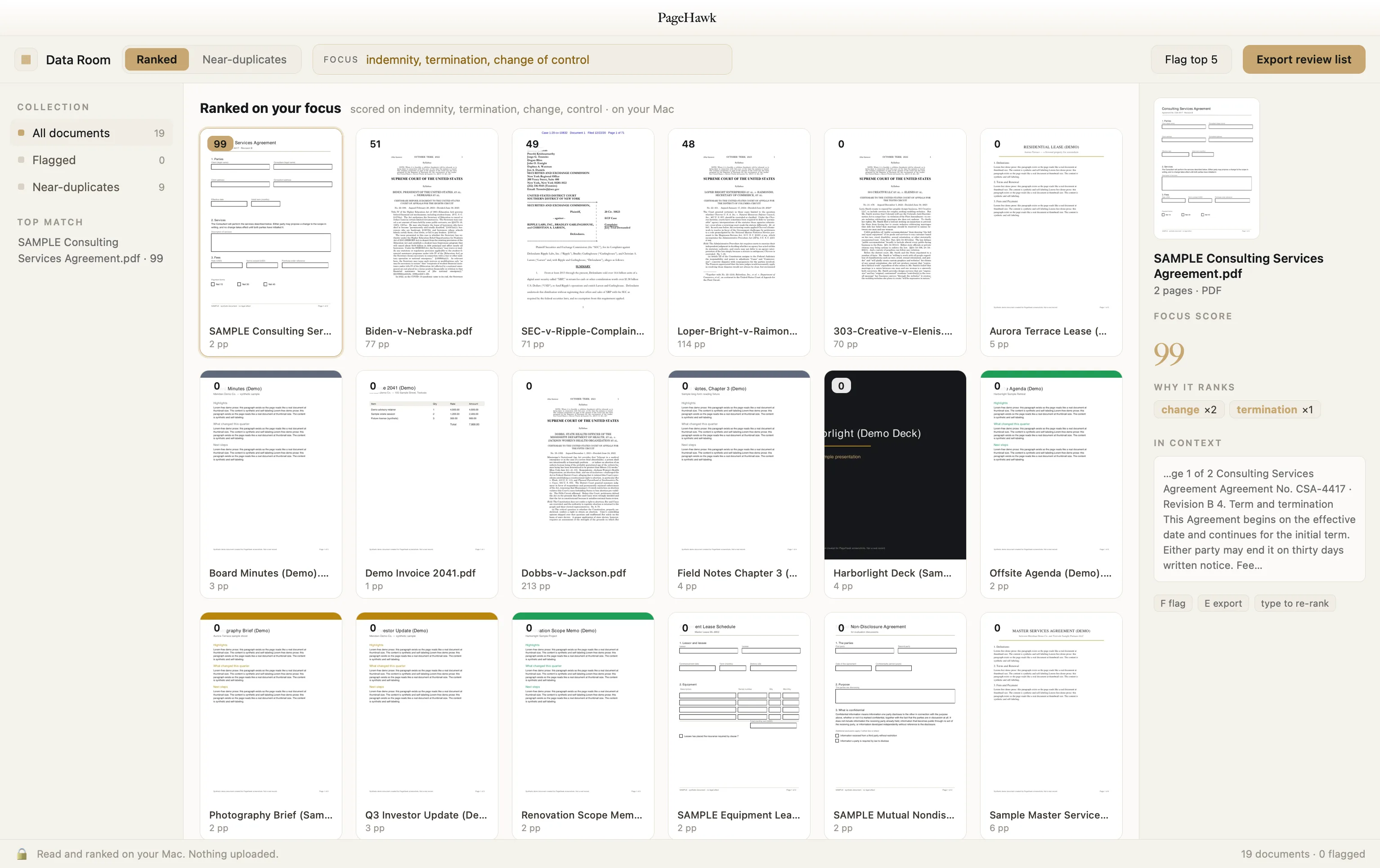
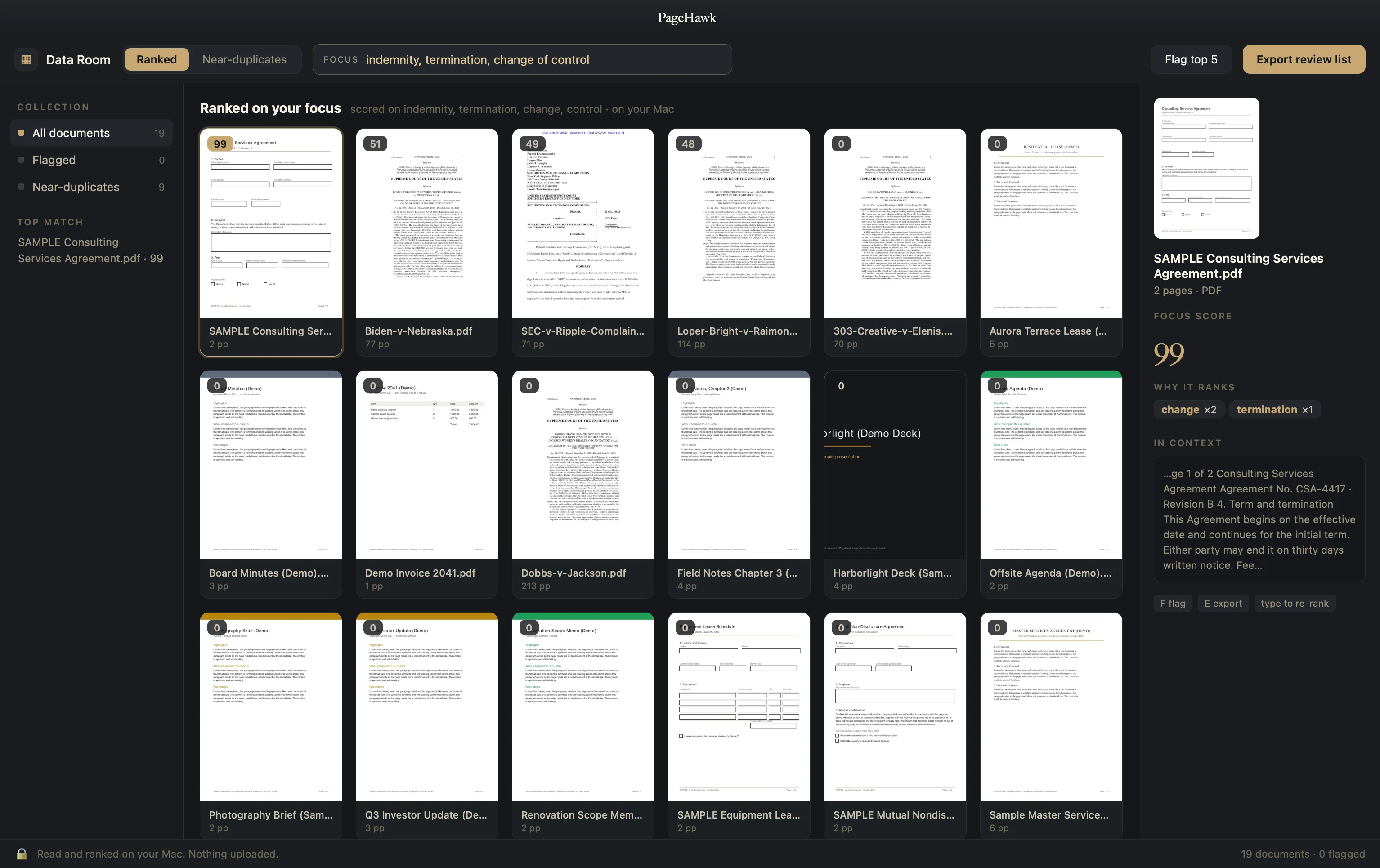
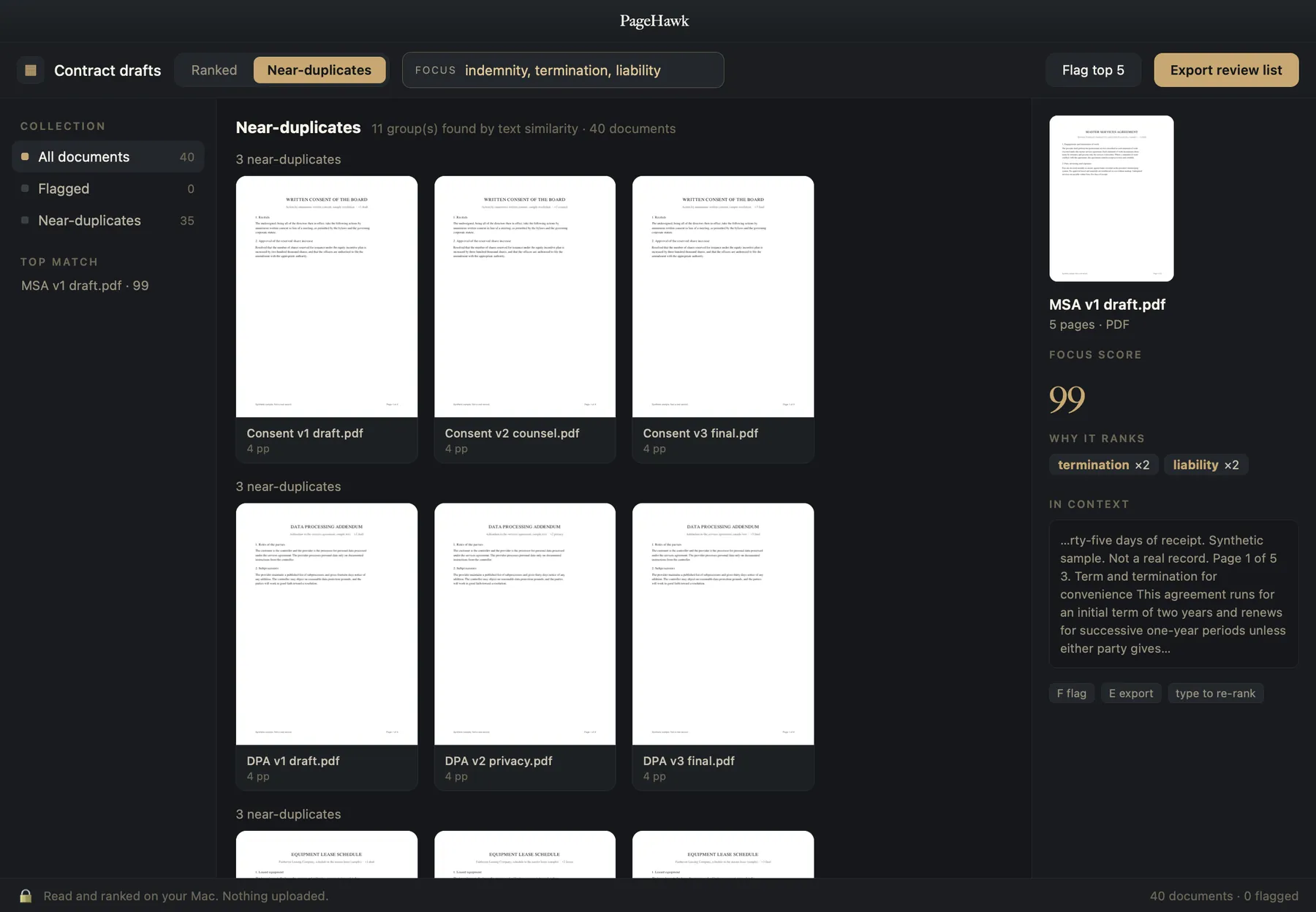
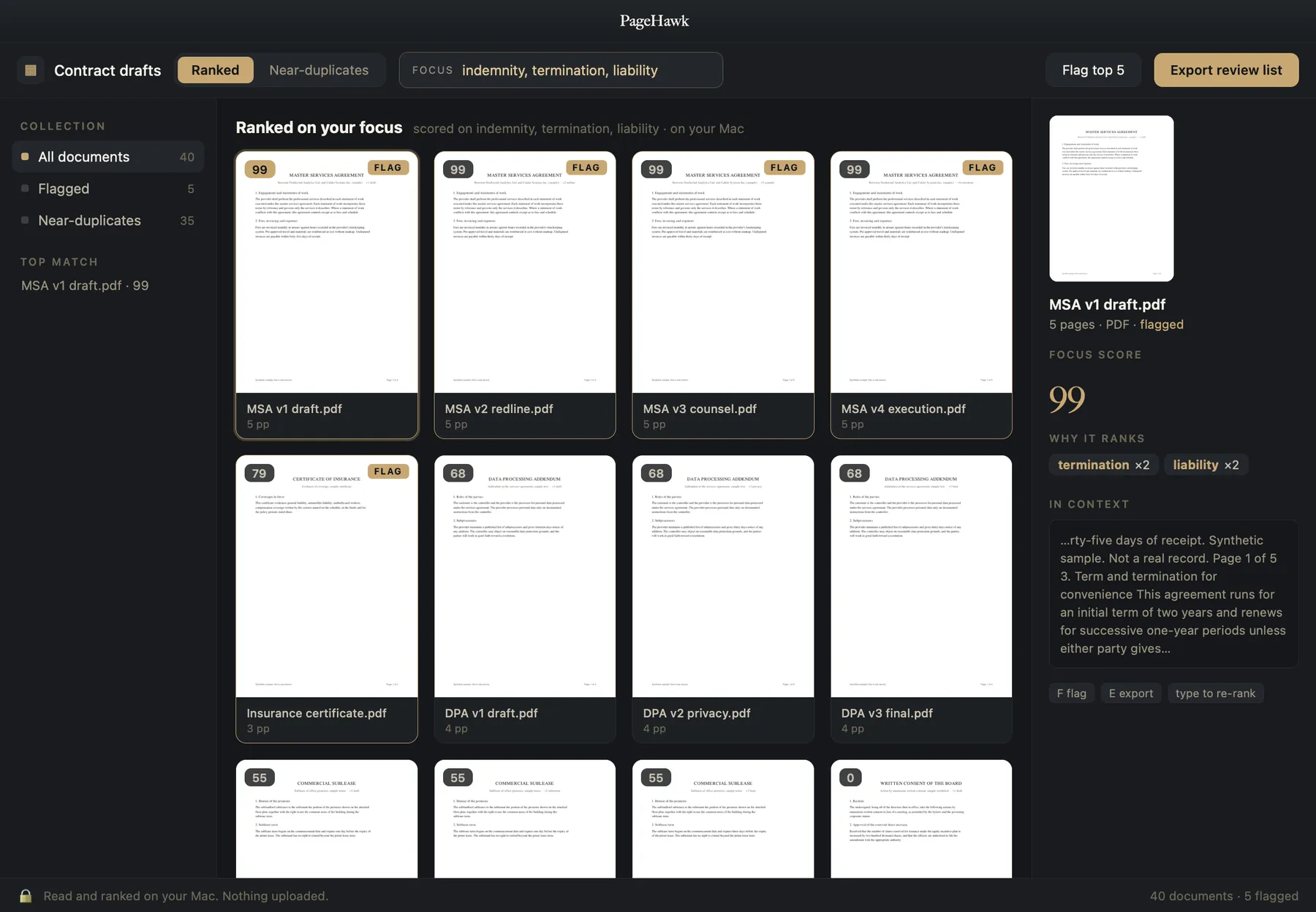
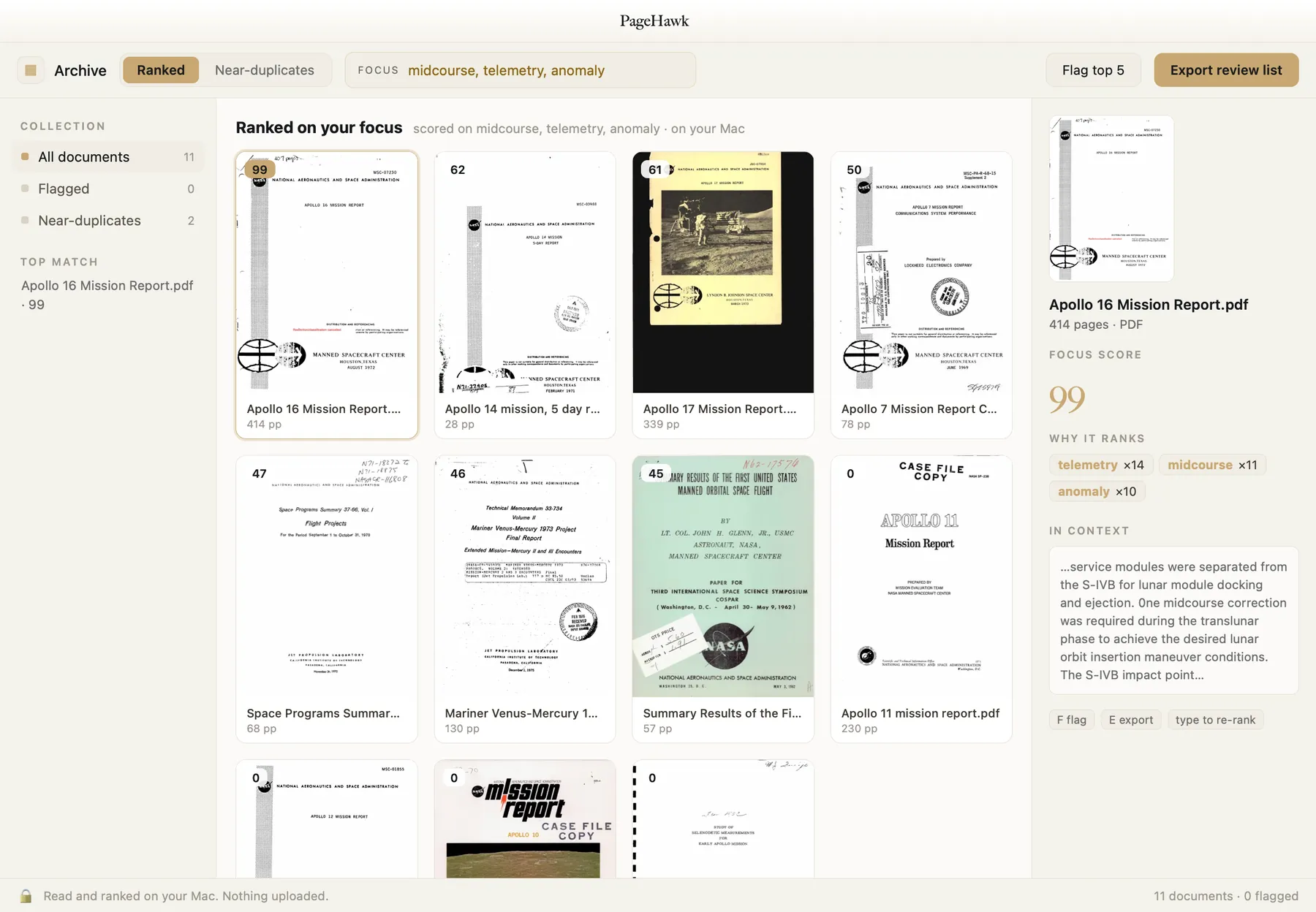
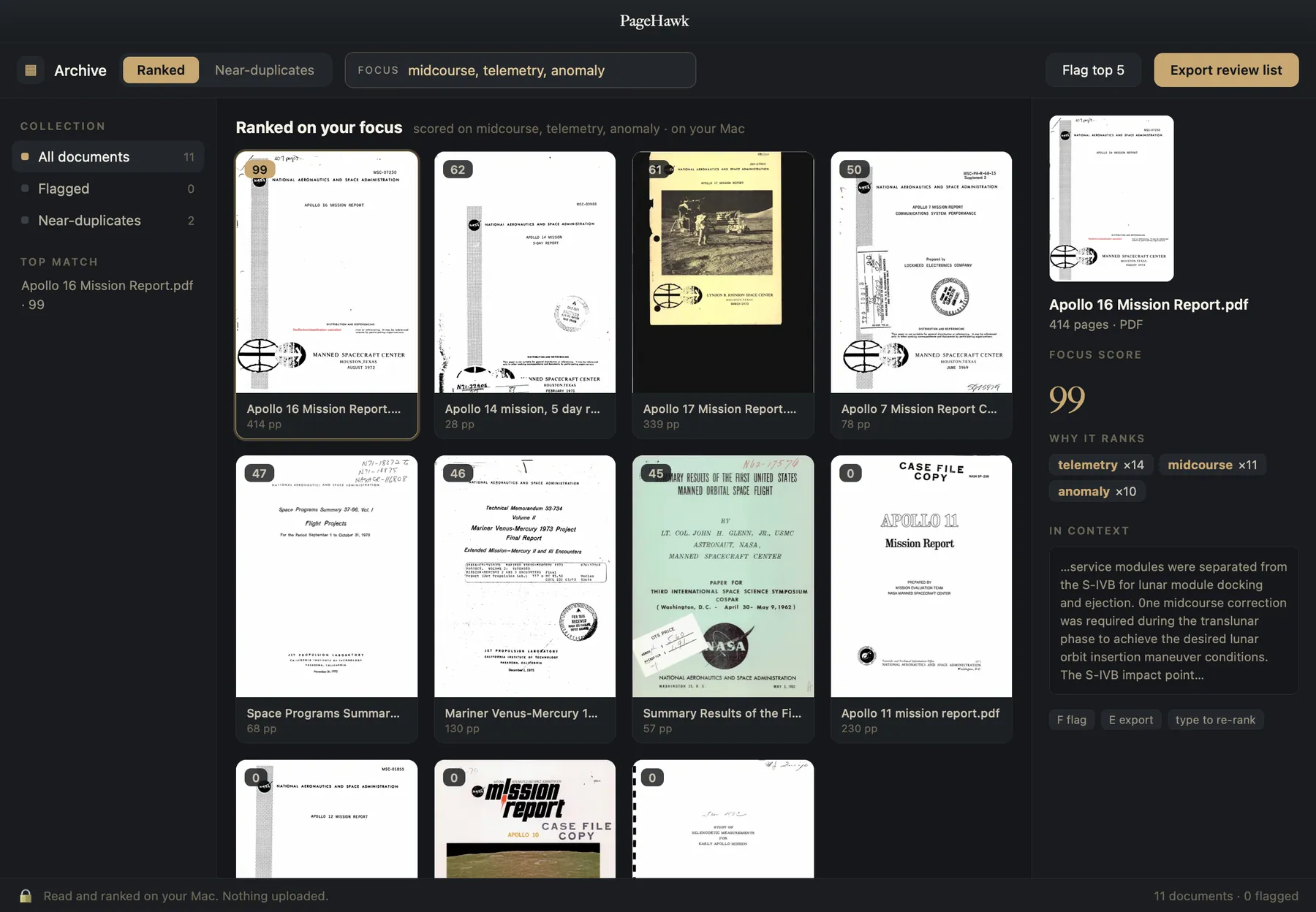
PageHawk ranking a data room on your focus: every document scored, the top match explained in the panel, the whole collection read and ranked on your Mac. Shown with real public court records and clearly labeled sample documents.
Large documents take hours. PageHawk gives most of them back.
Researchers, analysts, students, lawyers and writers all know the same day: a reading list that takes an afternoon to open, the one version that matters buried in a folder of 40, and the answer 300 pages in. PageHawk was built for exactly that day.
“If I have documents that use a lot of data, Adobe Acrobat Reader is one of the slowest tools on the market.”
Capterra review of Adobe Acrobat Reader, on the reader most Macs already have (not a PageHawk customer)We measured that reader ourselves on a Mac, then built PageHawk around what we found. Thirty preference panes behind seven tools became one pane. A Compare tool capped at exactly two files became one that takes a whole folder. A 1.68 GB update downloaded without asking became one that always asks first.
Every profession that reads for a living spends time the same way: a literature review screens hundreds of papers to keep dozens; a semester of readings runs to thousands of pages; a deal requires reading every draft of every document. Legal work is simply where that spend has been measured and published, so these four numbers come from there. Two carry a published source; the other two are an industry estimate and a planning assumption, each labeled as what it is:
Keeping the work on the device pays a second dividend, and it is the one most people underrate. Unpublished research, a manuscript, an unsigned agreement, a client file: pasting any of them into a consumer artificial-intelligence ("AI") chat tool hands a copy to somebody else's server. Where that has been tested in court the answer was unforgiving: a February 2026 ruling (United States v. Heppner, Southern District of New York, Judge Rakoff) held that a defendant's own exchanges with a public AI tool were not covered by attorney-client privilege, because the tool is not an attorney and no lawyer was party to them. PageHawk answers on your Mac, so whatever you are reading stays yours. And whether the hour is billed, grant-funded or simply your own, every quarter-hour the reader gives back goes to the work itself.
Click a defined term. Land on its source. Jump back.
One request keeps coming up in professional document work: stop scrolling to find where a term was defined. Try the loop below, then imagine it across a 400-page agreement.
11.2 Effect of Termination.
Upon any termination under Section 11.1, Client shall pay the Termination Fee within thirty (30) days, except where such termination follows a Change of Control of Provider, in which case the schedule set out in Exhibit C governs.
Click any underlined term above to jump to where it is defined.
This is an interactive simulation of the reference-jump loop, shown here so you can feel it. Three independent tools (CoParse, Macro, Sioyek) each built an entire product around this one loop; PageHawk is building it into the reader itself, rather than into one more tool to switch to. The same loop reads a paper: citation to reference and back.
See the whole set at once.
Reading a big stack is slow because the readers show you one document at a time, and comparing means opening them in turn. PageHawk lays the whole set out at once, compares and scores it, and takes you straight to what matters.
- 1GatherDrag in a folder, a data room, a case file, or a stack of PDF versions. PageHawk reads them all and lays them out together.
- 2CompareEvery document, side by side, scored on your focus query, recency, and what changed between versions. Near-duplicates are grouped.
- 3KeepKeyboard-first review, fast enough to run end to end from the keyboard. Flag the keepers, and export them where they need to go.
A few moves over your whole document library.
It does the slow parts and leaves the judgment to you.
Rank what matters.
Point PageHawk at what you care about: a clause, a metric, a method. It scores every document on that focus, plus recency and what changed, so the page you need rises to the top.
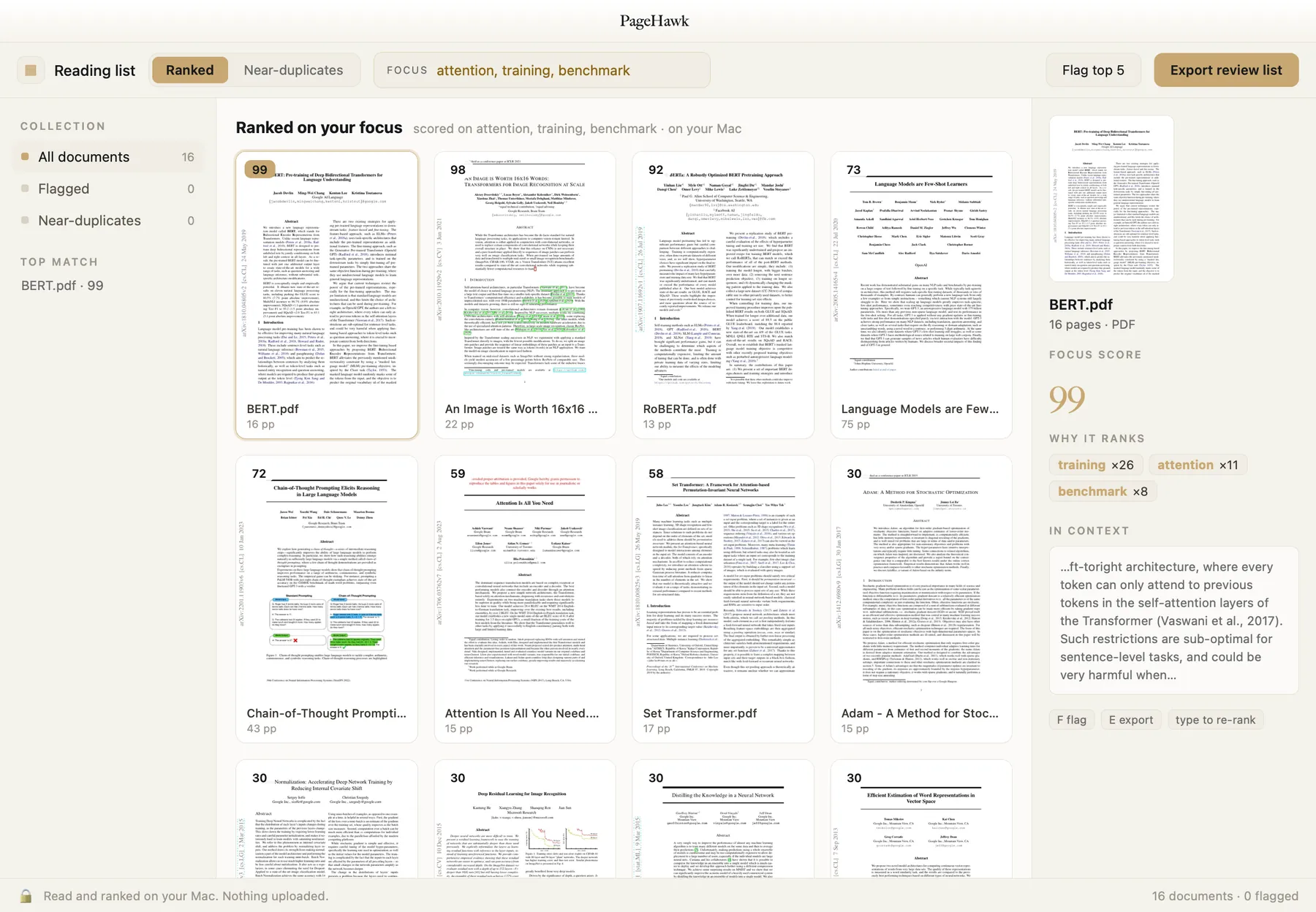
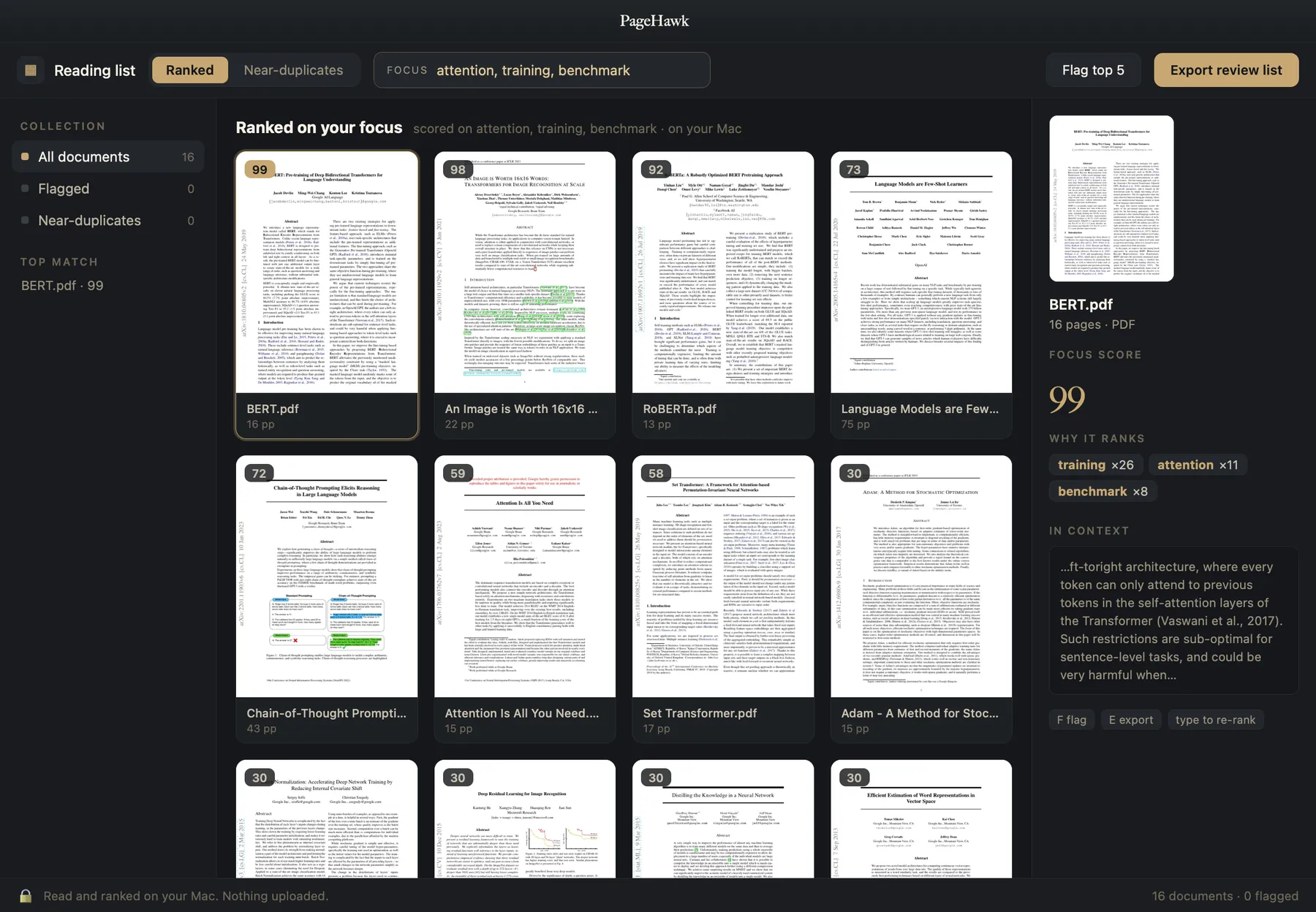
Group the near-duplicates.
Forty drafts become eleven groups, each holding every revision of one agreement. You review eleven groups instead of forty files, and read the memo once.
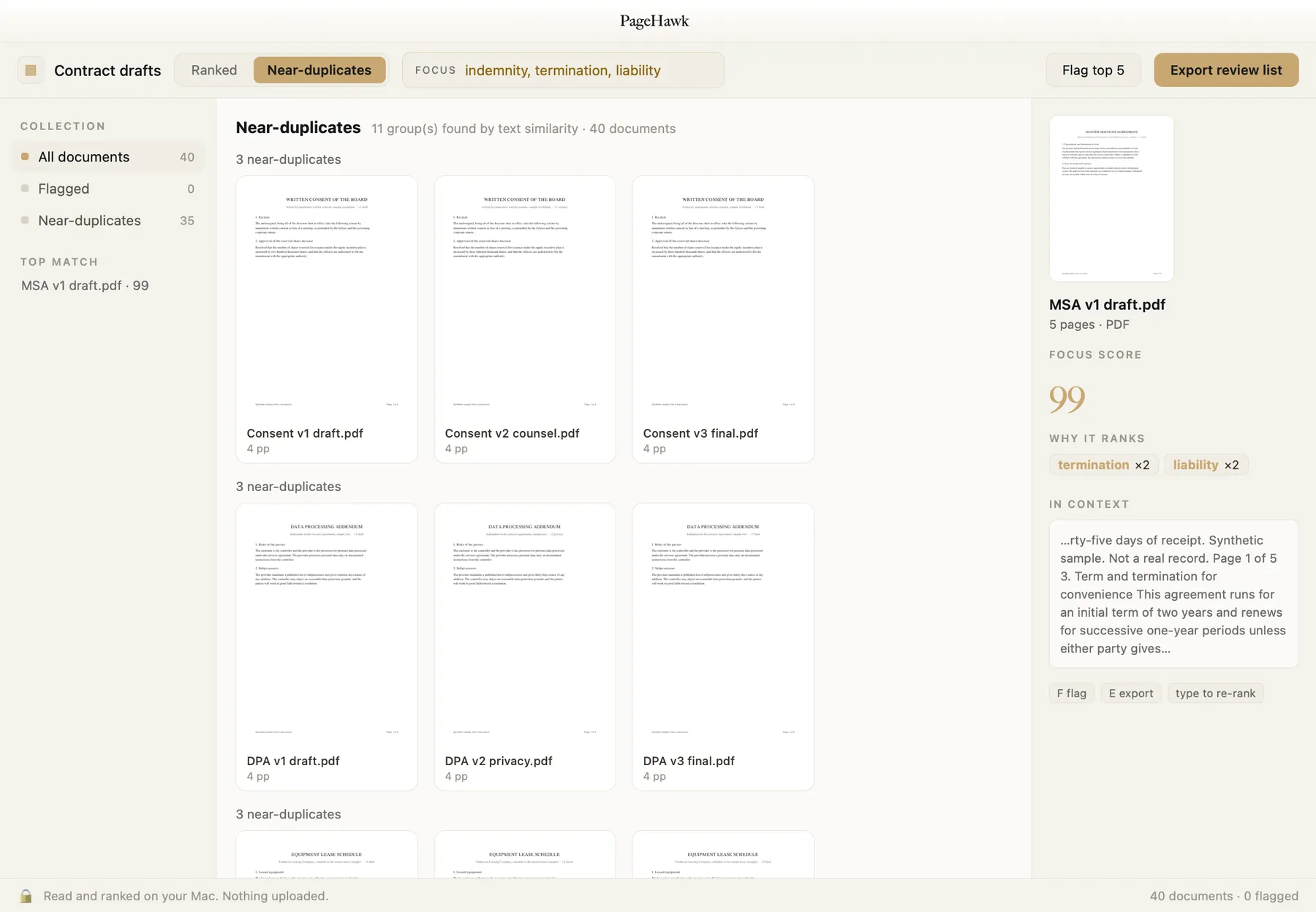
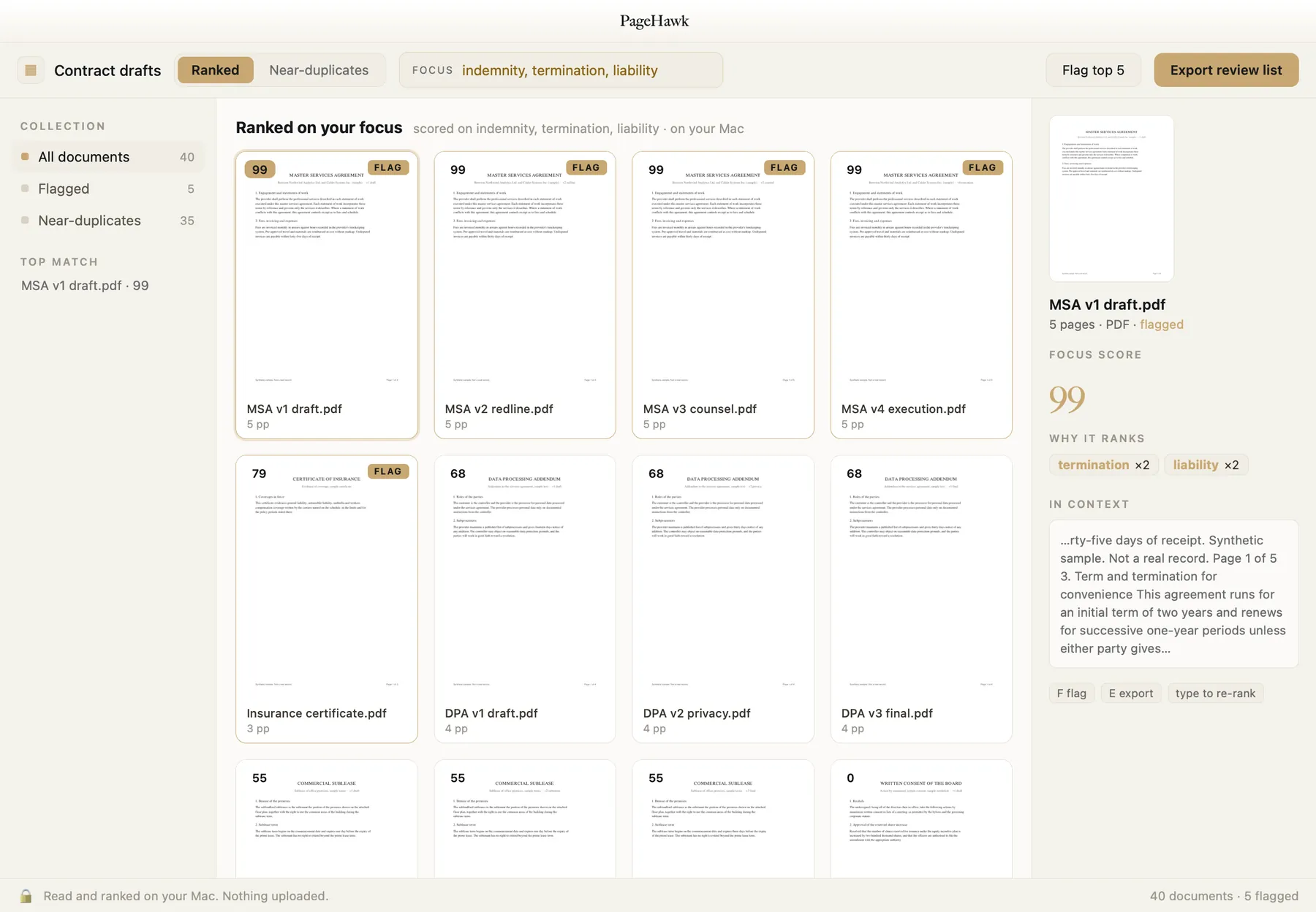
Export a review list.
Flag the keepers and send them on: a PDF bundle, a citation list, or a copy-paste set, assembled on your Mac.
Ask your documents. Privately.
Ask a question of one document or a whole folder and get an answer with page citations, generated on your Mac. Summaries, key terms, and an AI-built table of contents for the PDFs that ship without one. Nothing goes to a server, so answering a question about a privileged document does not disclose it to an AI provider.
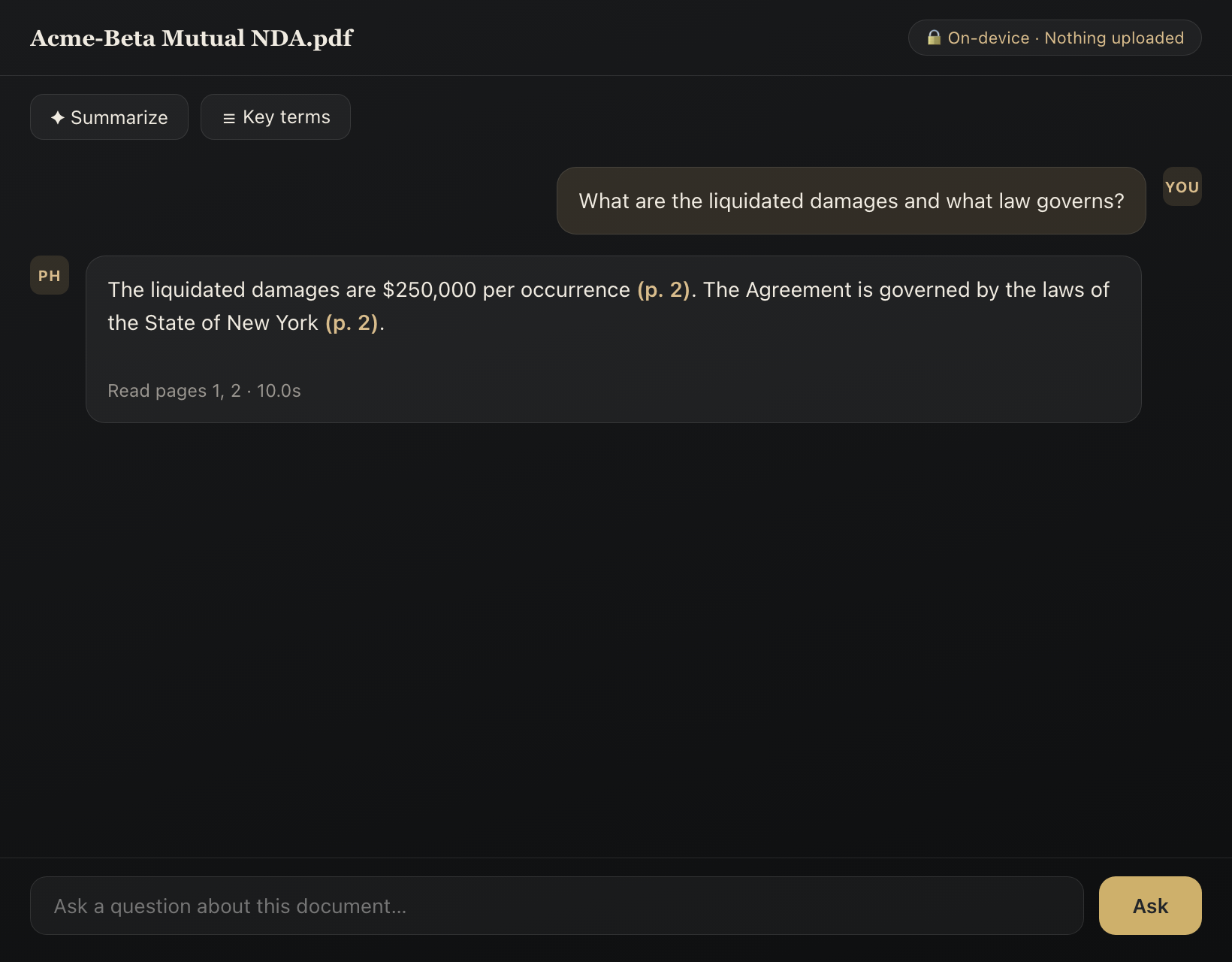
The real Ask panel, answered on device.
Redline, redact, and stamp.
Word-level compare with tracked-changes and PDF redline exports, built and in the app today. True burn-in redaction, shipped today: the text is removed from the file, along with its metadata. What is gone stays gone. Batch Bates numbering, shipped today, with stamps burned into the page as real content. The discovery-production detail, including the audit manifest and the load file, lives on the page for legal teams.
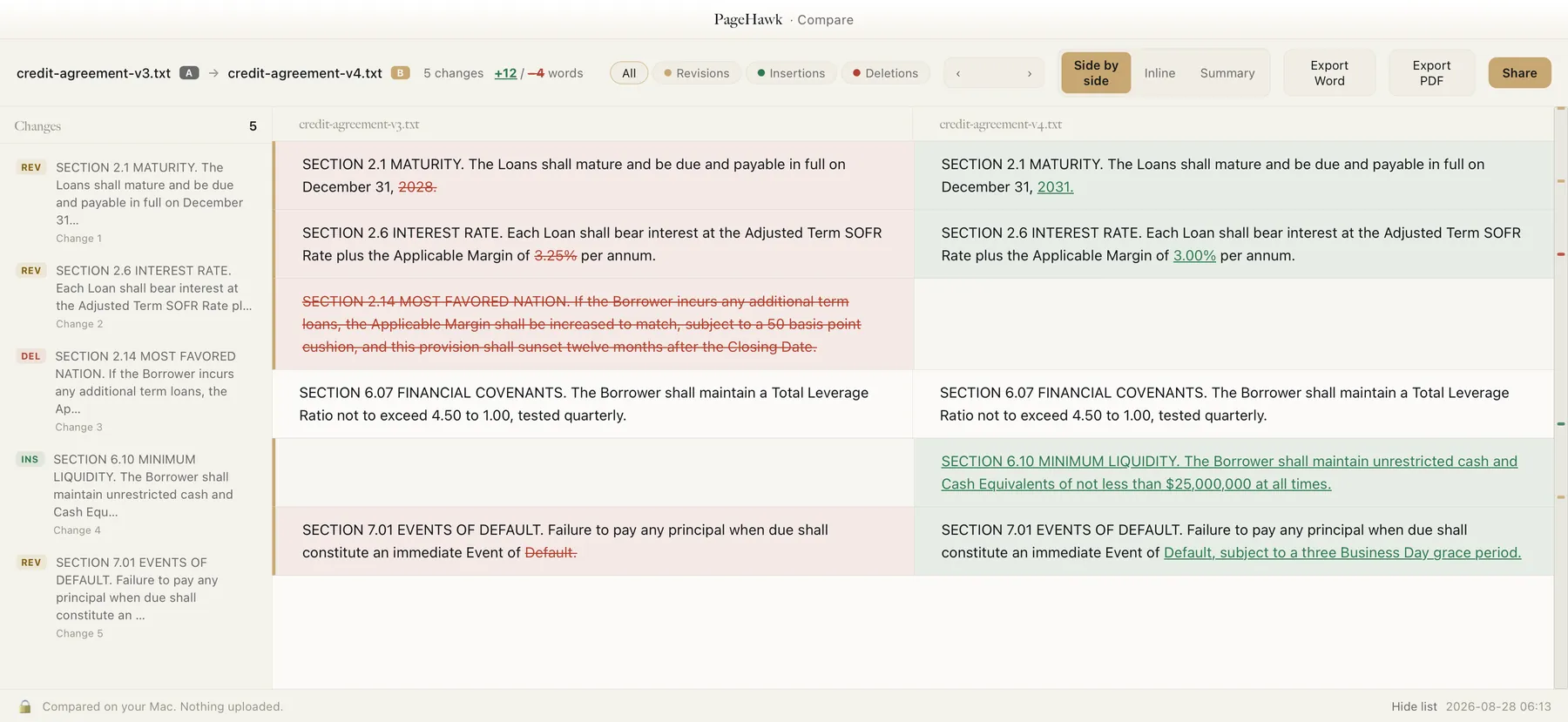
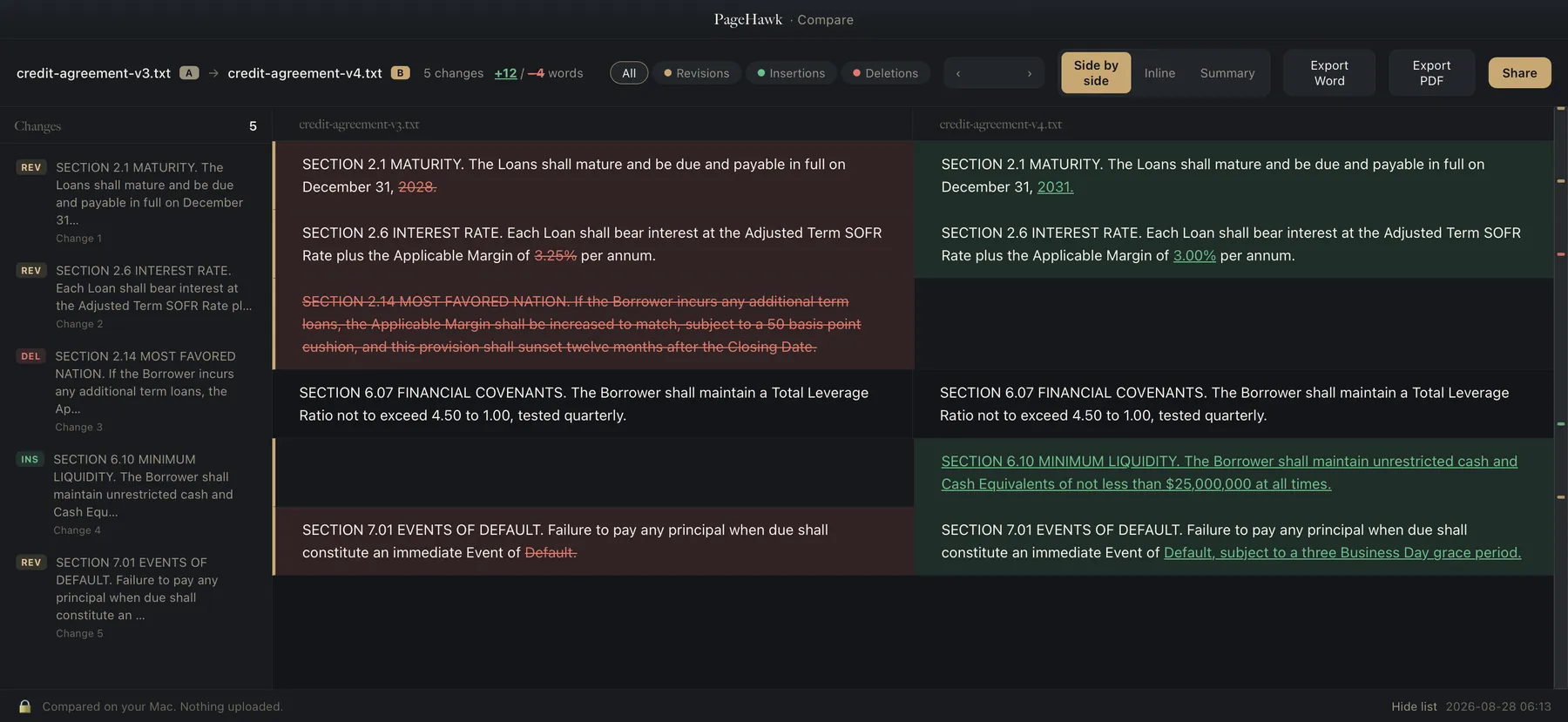
A real PageHawk redline, rendered on device.
Make it your default. It earns the double-click.
The everyday jobs most people open Adobe for: signing, shrinking, covering up, filling, reading. Fast, on your Mac, with nothing uploading on its own. And the whole-folder work above comes with it.
Sign, and the signature is part of the page.
Draw, type, or import your signature, drop it on the line, and PageHawk burns it into the page, so it stays with the document wherever it goes. The document's text stays selectable.
Shrink big PDFs.
A five MB scan-heavy file becomes a fraction of itself: images are recompressed for screen while the text stays vector and is never recompressed. It shows you the before and after sizes, and skips the file when there is nothing to save.
Whiteout, fill, and stamp.
Cover anything with a burned-in white block, fill forms in place, and add notes and highlights. For true removal, use Redact: whiteout covers the text, redact destroys it underneath.
Clean metadata, in one tap.
Its own action, separate from redaction: strips the hidden author, software, and date fields and the embedded Extensible Metadata Platform ("XMP") packet before you share. It shows you what it found first, and it never redacts or alters a page, so the text stays selectable. This one is part of Pro, alongside burn-in redaction and Bates numbering; everything else in this section is in the free reader.
Reads like a native Mac app should.
Page thumbnails, continuous scroll, find, dark reading themes, read-aloud. And every document reopens exactly where you left off.
Opens more than PDFs.
Word, PowerPoint, Excel, and iWork files open straight in the same fast reader, converted on your Mac and cached.
One click to make it yours.
PageHawk asks once to become your default PDF app, then leaves it alone. One click, reversible anytime in Finder's Get Info.
Your library follows you.
The library you build on your Mac is on your iPhone and iPad too, at the exact page you left. Two ways to turn it on, both end to end encrypted, both off until you choose: pair with a short code, or sign in once.
Pair with a code.
In the reader's menu, choose Sync with iPhone, type the short code on your other device once, and the two share one library. The code itself never goes to us: your devices derive the encryption key from it, so the server stores sealed bytes it cannot read. Open PageHawk on the other device and your documents are there.
Sign in, and it stops waiting.
With a free Epiphani account, every document you open joins your encrypted online library, and a change is announced to your other signed-in devices in about a second. A Mac or web window that is open picks it up on the announcement; your iPhone has it waiting the moment you open the app.
The exact page, your marks with it.
Your reading position travels with the document, so the phone opens to the page the Mac left. Paired devices carry your annotations too, merged mark by mark rather than overwritten, so two devices can both add highlights without one erasing the other.
Sealed before it leaves.
Every document is sealed into an encrypted envelope on your device before upload. The server verifies the envelope's shape and stores bytes it cannot open; a plaintext document is refused outright, so an unencrypted upload cannot even happen by mistake. Signed-in libraries wrap the key with your passphrase; paired devices derive it from the code. No key ever reaches a server.
See what you store. Free it yourself.
Your signed-in library's storage sheet lists every document with its size, each with its own remove. A row disappears only after the server confirms it is gone, the storage figure drops as you clear, and the copy on your device is untouched. Nothing accumulates behind your back.
On iPhone and iPad today.
PageHawk for iPhone and iPad ships through Apple's TestFlight: email us and the invite comes back. Pair it with the code from your Mac's reader menu, or sign in with the same account, and your library is there.
How to check us: the sync endpoint rejects anything that is not a sealed envelope, so the encryption is enforced by the server's front door, not by a promise. The latency figure is the median of 23 timed runs against production, quoted with its range. And pairing lives in the reader's own menu, with nothing else in front of it.
Agreements where you work.
PageHawk stands on its own. Nothing PageHawk does is gated behind a SealHawk account: the reader, the folder powers, compare, redaction, and Bates all run with nothing connected, and the panel below is the only part that needs a SealHawk connection. (Sharing a redline as a link, the device sync you turn on by pairing or signing in, the update check, and the declinable site analytics are the other network uses; each is yours to start or decline.) If you do use SealHawk, connect it to see executed agreements, their renewal and notice deadlines, and archive documents straight from the reader. With nothing connected, PageHawk never contacts SealHawk at all.
See deadlines with your documents.
PageHawk shows renewal and notice deadlines calculated from your agreement terms. Review important dates alongside your document text, then open the executed agreement with one click. You track contract commitments without leaving your local PDF library.
Archive files to SealHawk.
Send documents from PageHawk to your SealHawk agreement library. If the connection allows read access only, PageHawk asks you to reconnect with archive permission. You get a clear next step instead of a failed archive with no explanation.
Access stays limited.
The connection can read your agreement library and, with permission, archive files into it. SealHawk enforces that boundary on the server, backed by its own test suite. PageHawk cannot draft envelopes, send signature requests, reach templates, or reach signing links.
Credentials live in your Mac Keychain.
PageHawk keeps the token in your Mac Keychain with iCloud synchronization off. It travels only to SealHawk itself, and nowhere else, to authenticate the requests you asked for. Disconnecting deletes it along with every agreement PDF the connection had cached. Revoke a device in SealHawk and the next request drops the token, with no retry.
Pair with an eight-character code.
Generate a single-use code in SealHawk, valid for 10 minutes. PageHawk sends it to a public endpoint without an authorization header. The code returns a scoped token with read access to your agreement library and, if you granted it, permission to archive into it.
Every failed code looks alike.
Invalid, expired, and reused codes return the same error, so someone guessing cannot tell why a code failed. Our test suite confirms they match, while internal server failures return a separate message, showing that the shared response is deliberate.
PageHawk is a complete document studio on its own. Connecting SealHawk adds your agreements, and never makes either product a requirement for the other.
See it for your work.
The same app, met at six different desks. Open the one that looks like yours.
Triage 200 papers for a literature review, compare revisions, and surface the ones that actually matter.
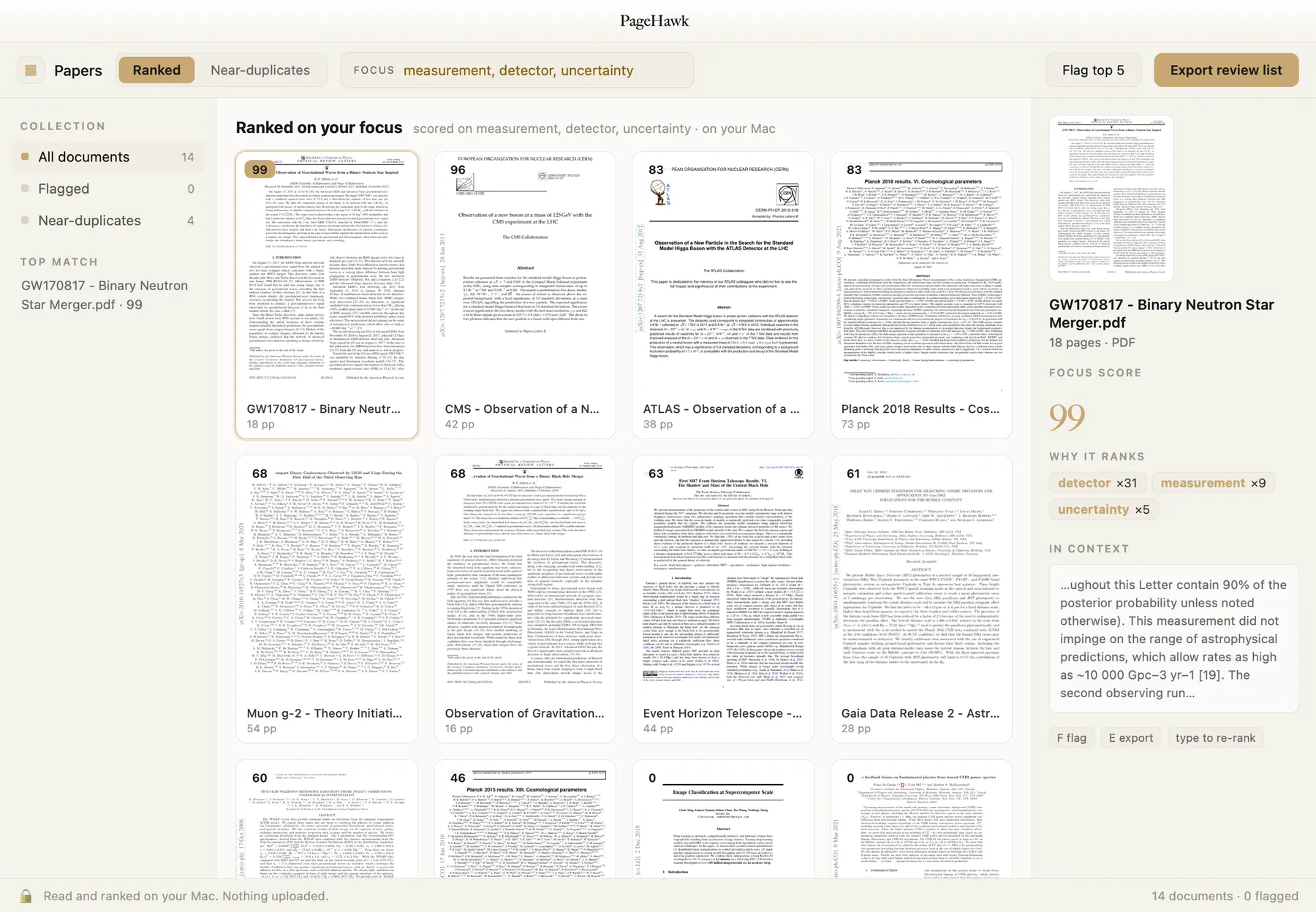
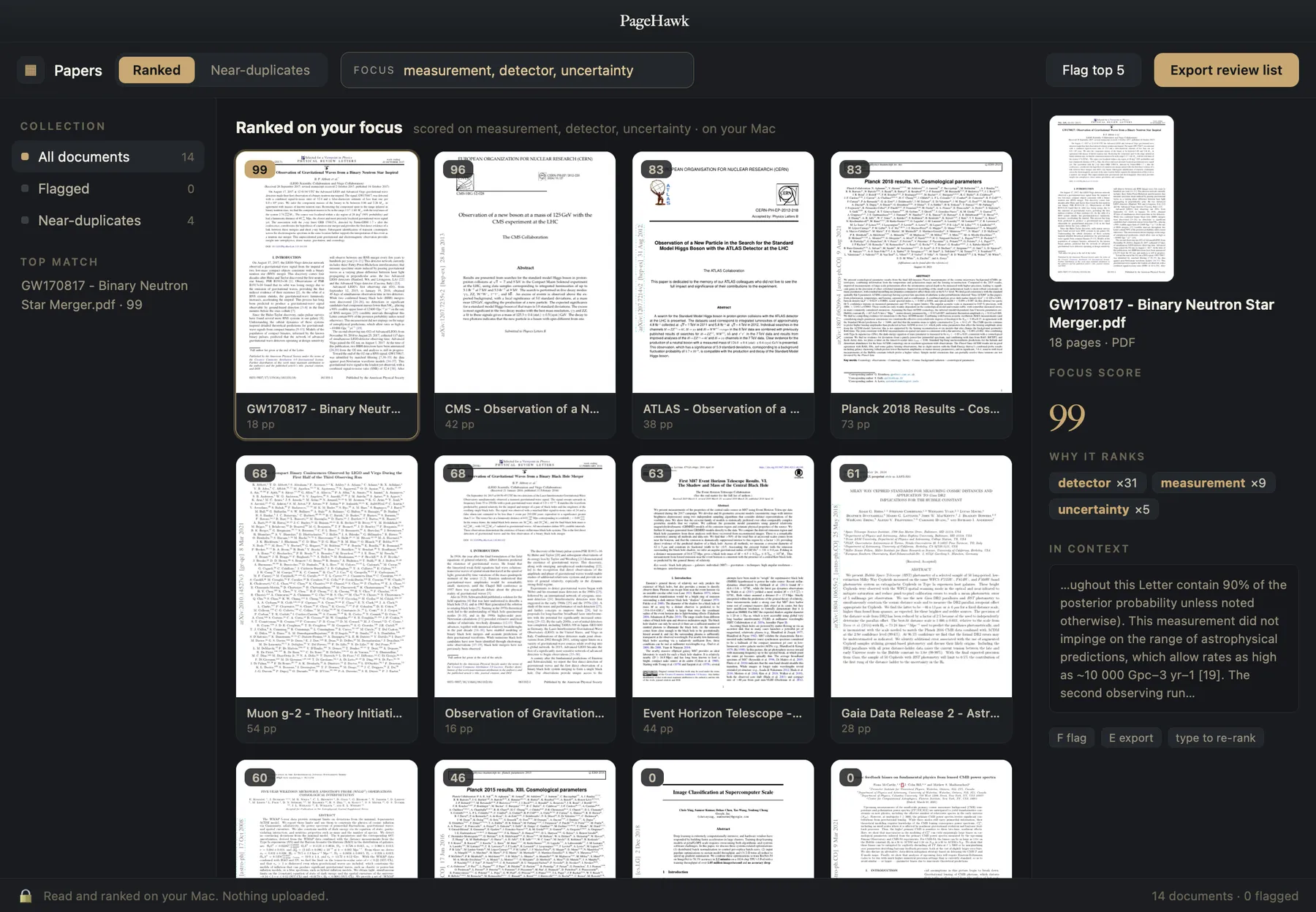
Group related papers and methods, read figure-heavy preprints side by side, compared right on your Mac.
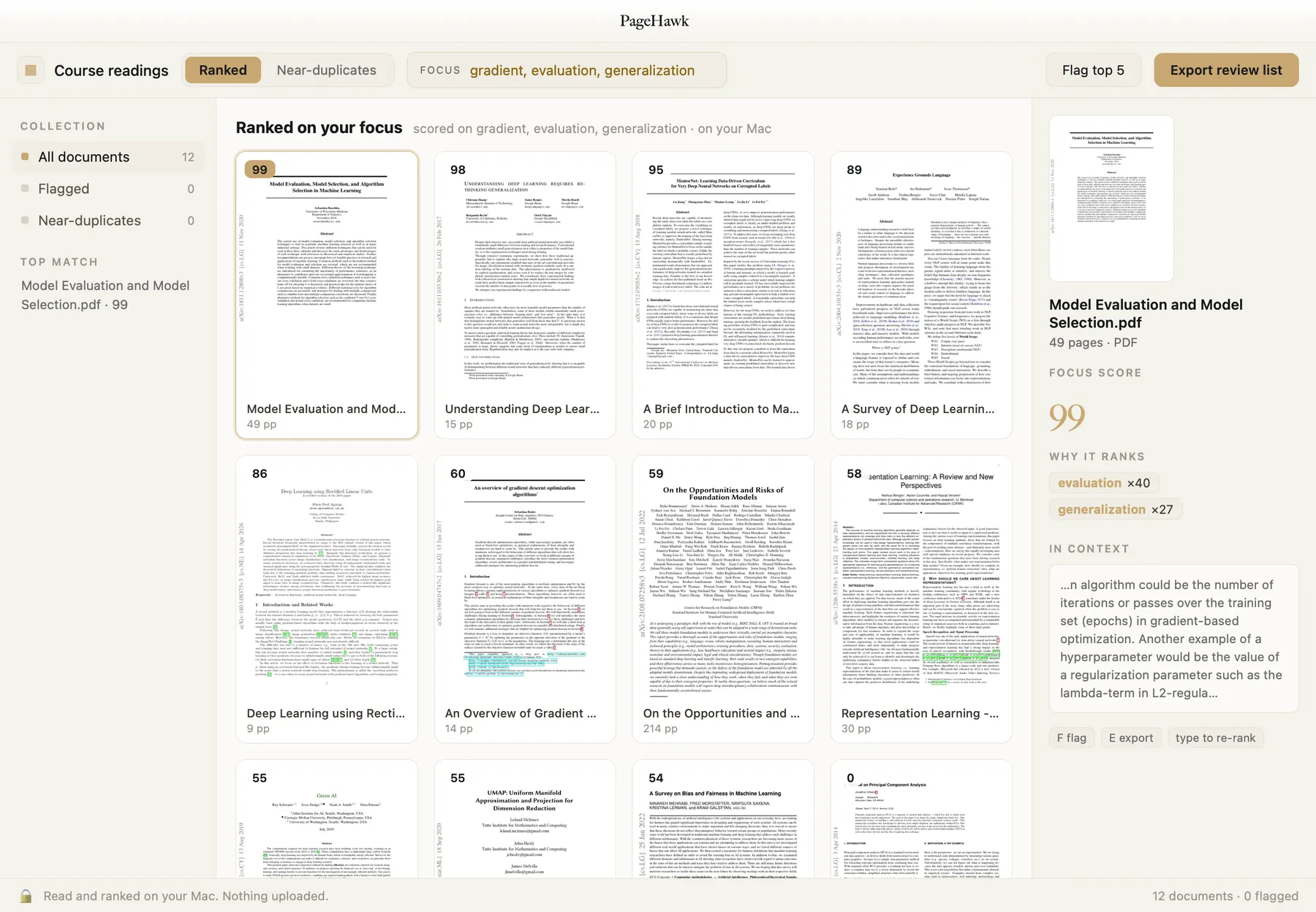
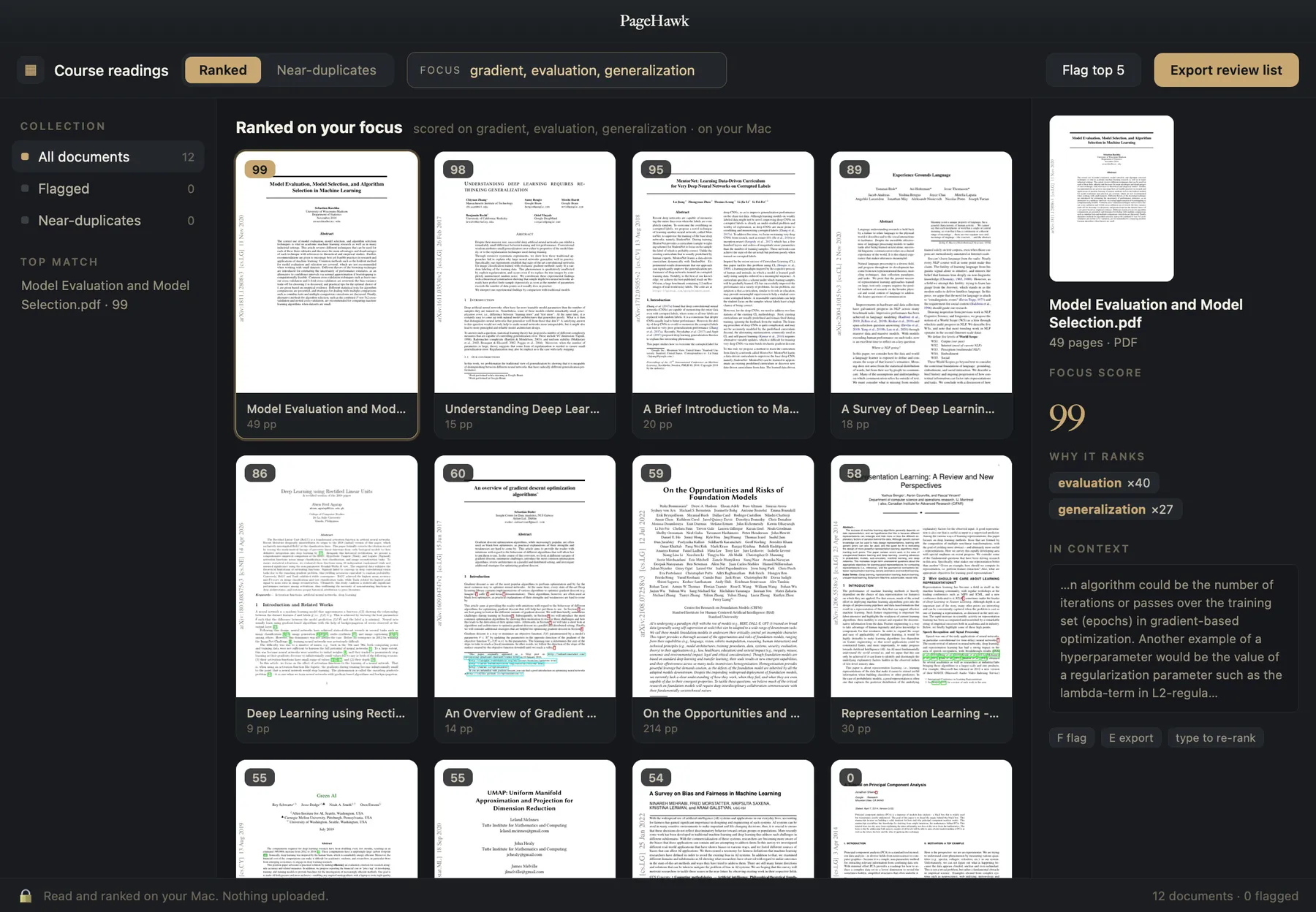
A semester of readings and sources in one place: find the passage you half-remember, keep the sources that earn their citation, and export the list.
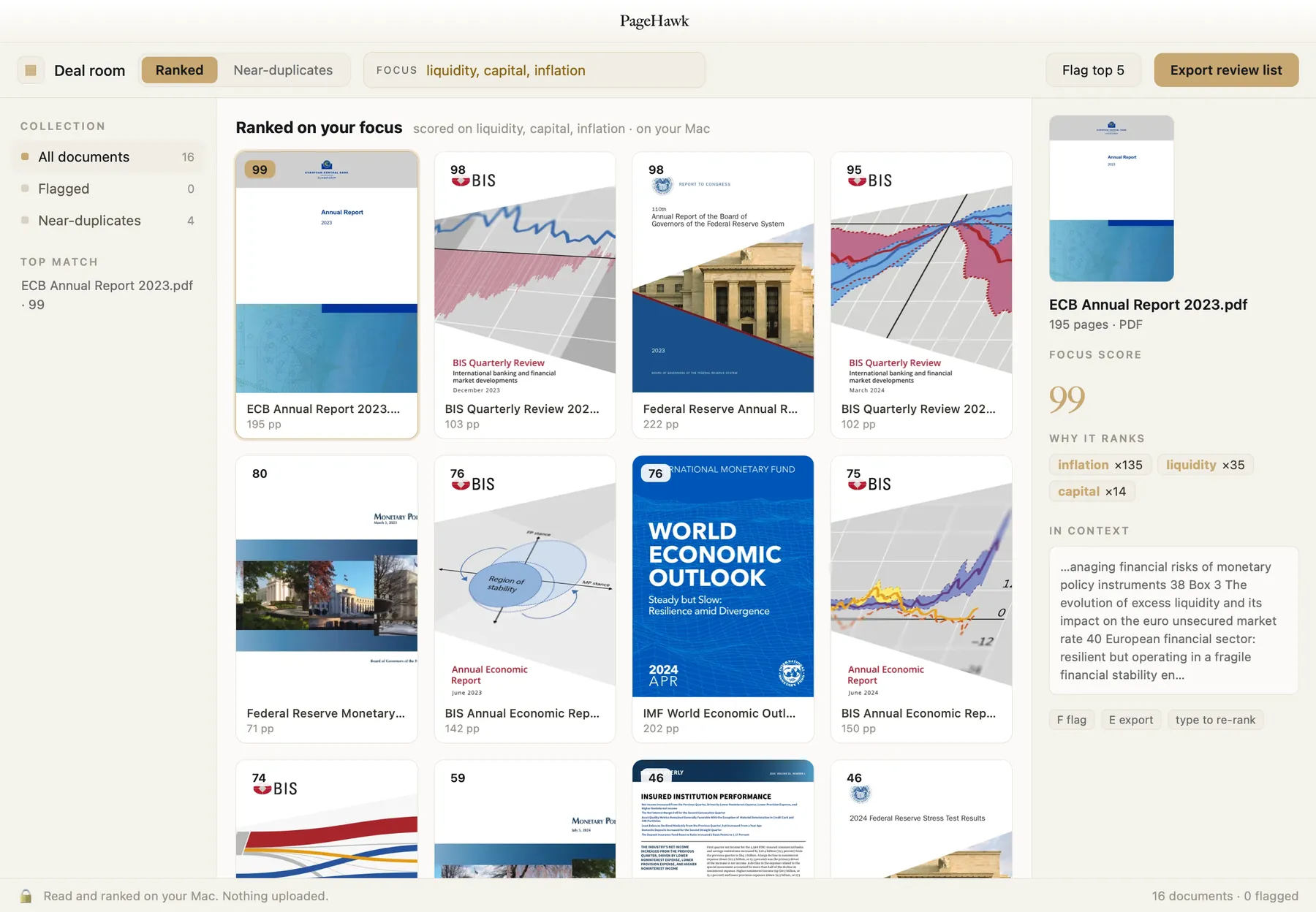
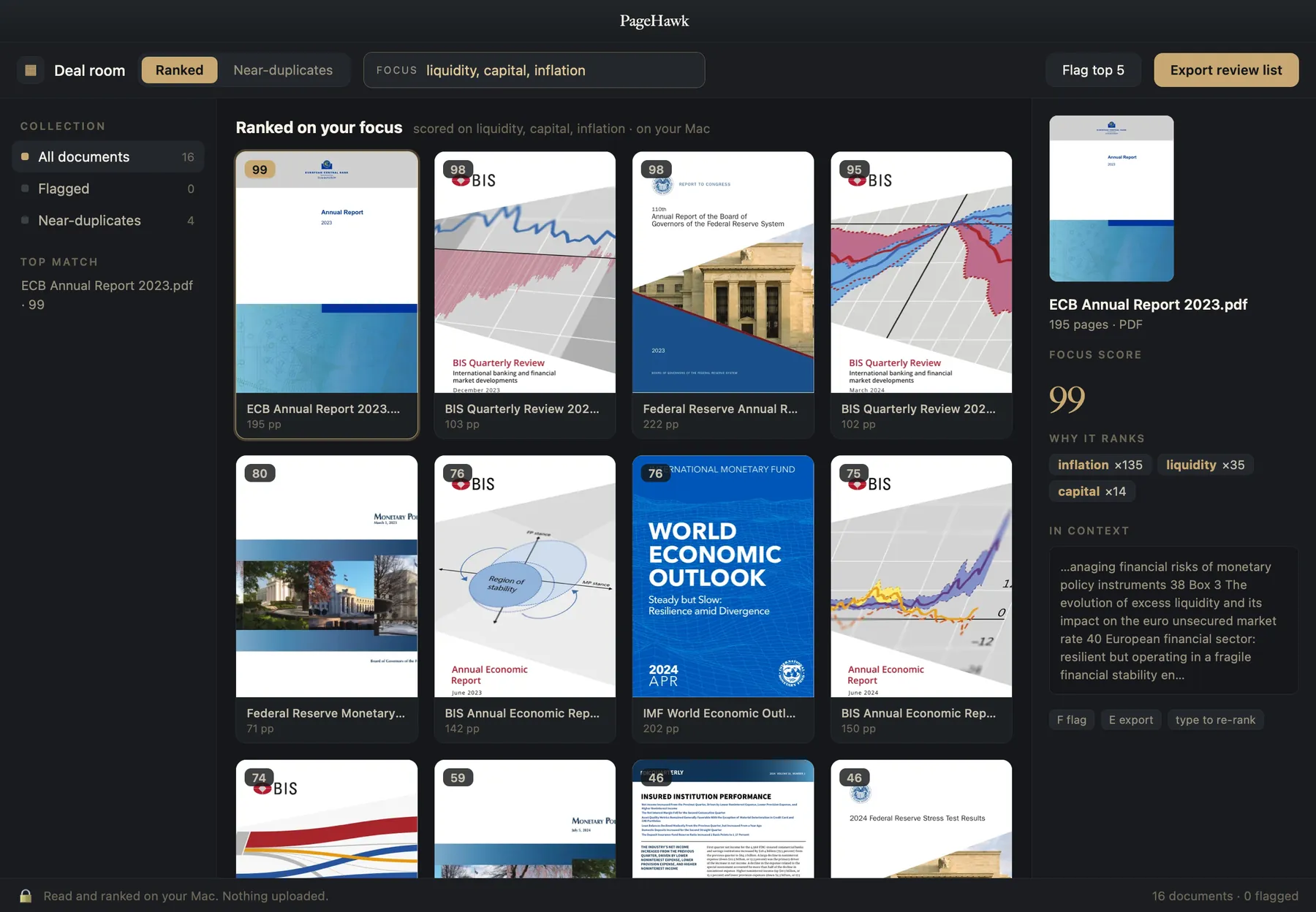
Compare filings, proposals, and deal drafts at the pace of the deal: quarter over quarter, version over version, in one pass.
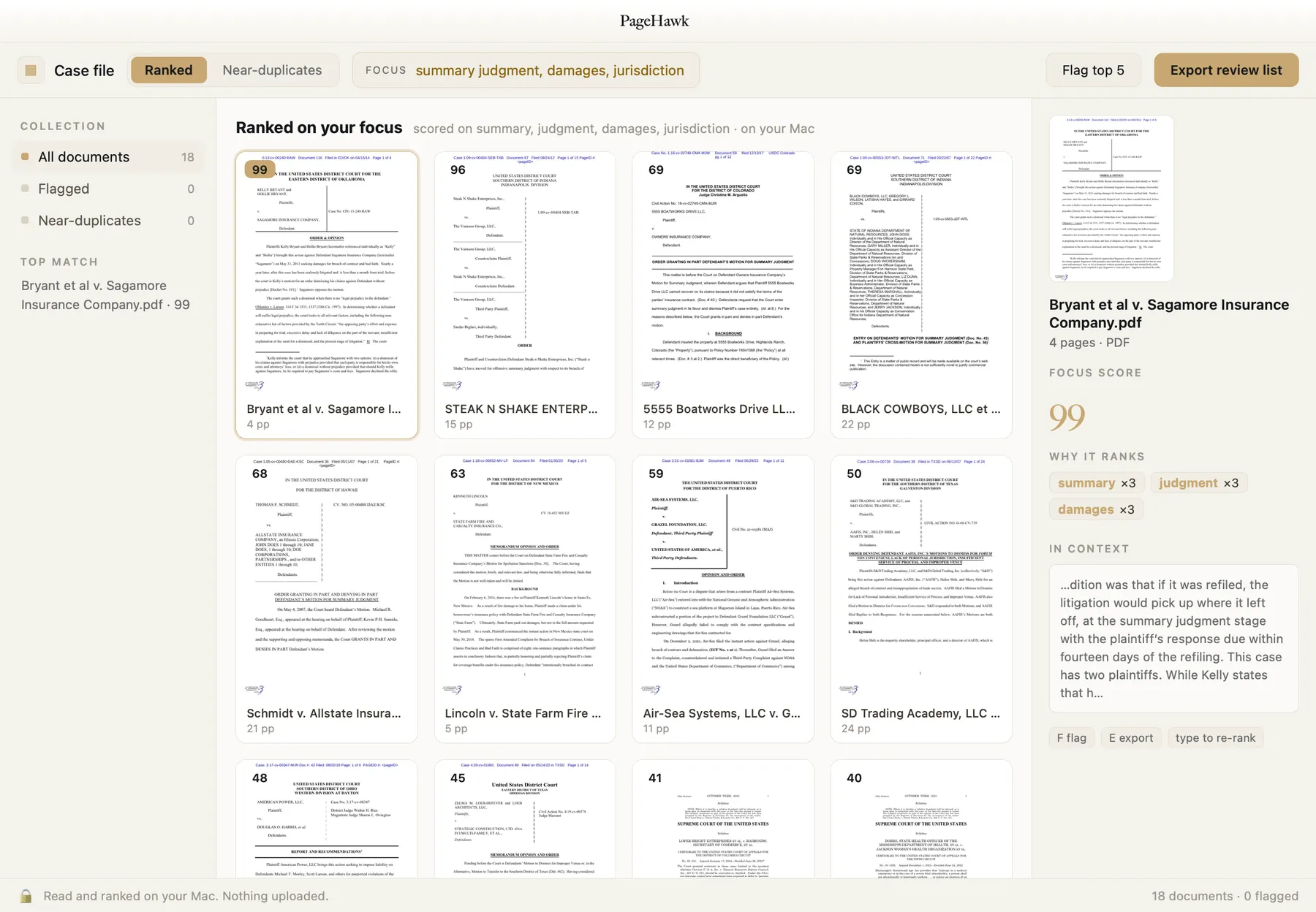
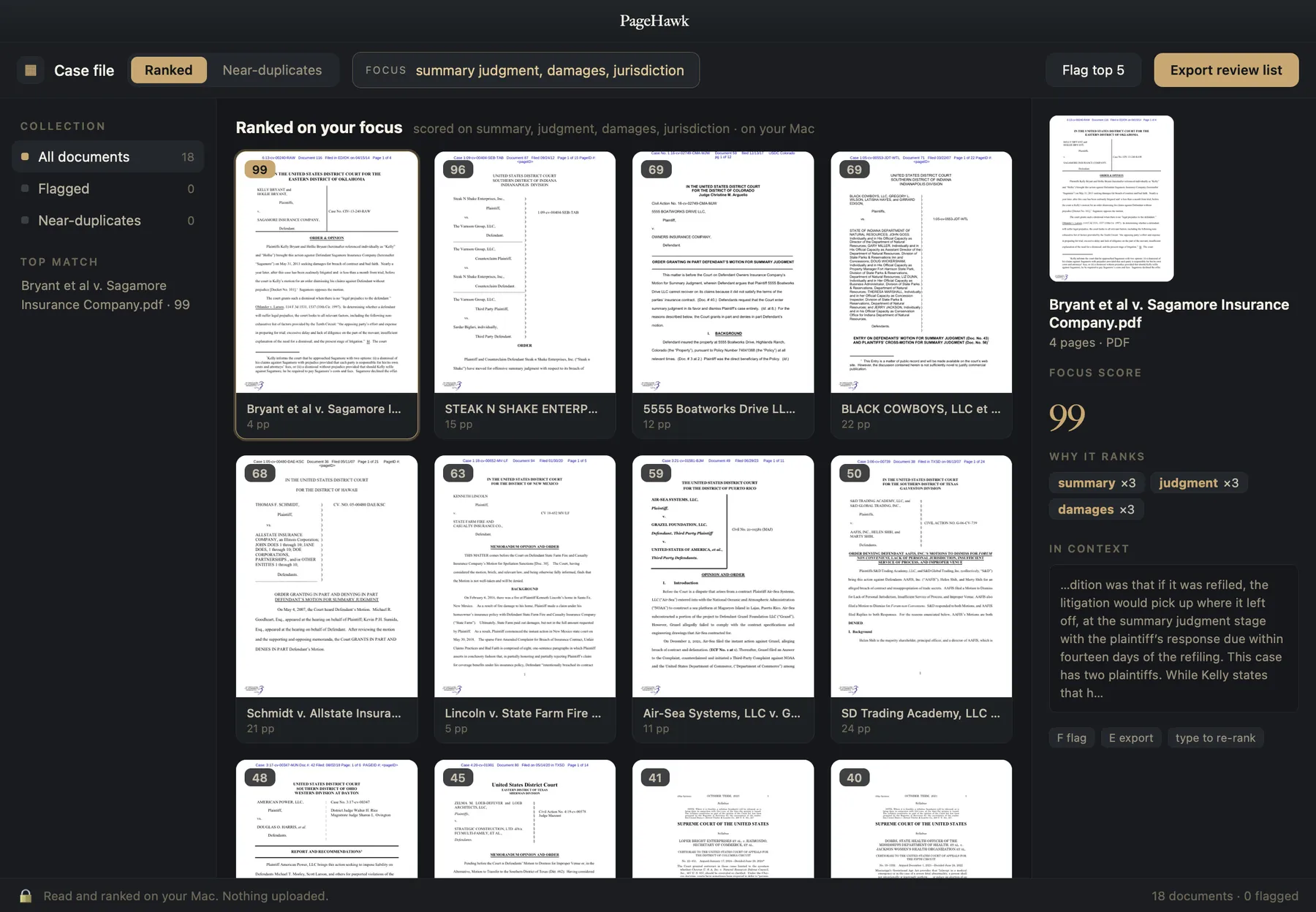
Find the changed clause across a 500-document data room, and the near-duplicate pleadings buried in a discovery production.
Review scanned archives that need Optical Character Recognition ("OCR"): registers, manifests, and declassified files, read and matched on your Mac.
Every screenshot is the real interface, populated with genuine public records: court opinions, Securities and Exchange Commission ("SEC") and central-bank reports, arXiv papers, national-archive scans. In PageHawk they would be your own files, read and scored on your Mac.
See exactly what changed.
Line up two versions of a contract, a manuscript, a filing, or a draft, or the whole chain of them. PageHawk marks every change, by page and by clause, so you keep the right one with proof instead of memory.
- Word-level redline, insertions and deletions color-coded
- Three views: Side by side, Redline (insertions underlined right on the page, deletions marked in the margin), and Summary, with a change rail running between the two documents
- Export a Word tracked-changes file or a PDF redline
- Batch compare: drop in two folders of versions, PageHawk auto-pairs them by filename and redlines every pair in one pass, all on-device, with a results table you open any pair from
- Draft Timeline, for when a negotiation is not two documents but a chain of them: drop in three or more drafts and PageHawk lays them out as a row of cards with the redline between each adjacent pair down the page. Drag a card, or press the left and right arrows, and every adjacent redline recomputes along the new order; only the genuinely new adjacencies are recalculated. Order by date sequences them from each file's own date. Adobe's Compare cannot hold a third file: its shipped module declares two named slots, old and new. In the app since version 0.57.
- Compare inside Microsoft Word: launch a comparison from a task pane and get native Word tracked changes back, on Word for Mac, Windows, and the web, without the documents ever leaving the device
- Word-level compare in Chinese, Japanese, Korean, and Thai, alongside every language written with spaces
Built to be shared: finish a comparison in the browser and one click turns it into a private link you can send to anyone. They see the redline, never a downloadable copy of your original files, and can run their own comparison free. Draftable, whose free online tool is named on our own comparison page, uploads your documents to its servers to diff them and sells its offline desktop app as the paid alternative. PageHawk compares on your device; sharing is a choice you make, never a default.
PageHawk's compare view, illustrated: two versions side by side, changes color-coded, the change rail down the middle.
Your files stay on your drive, with three exceptions you choose.
PageHawk reads, scores, and compares everything on your Mac. The index it builds lives on your drive, and only three kinds of document leave it, each one something you instruct: a redline you choose to share as a link, a document you choose to archive to a connected SealHawk library, and the library you choose to sync between your own devices, which travels only as sealed envelopes no server can open. Traffic is a wider list than documents, so here is all of it, in five parts: the device sync you turn on by pairing or signing in, sealed on your device before it goes; a SealHawk library you have connected, which both takes what you archive and reads back your executed agreements and their deadlines; a redline you choose to share as a link; the update check; and the site analytics you can decline. The update check and the analytics do not touch your files; the app contacts SealHawk only once you connect an account, and with sync off it syncs nothing.
The work you are choosing between is often the work you most need to keep private: client files, unsigned contracts, unpublished research, drafts no one else should see. They stay where they are.
- Every document feature runs before you make any account. Signing in adds the online library that follows you across devices, the optional SealHawk panel needs its own connection, and both are off until you turn them on yourself. Pairing two devices takes just a code.
- Every ask carries “Don't ask again” the first time we ask.
- Update checks stay out of your way: never modal, always declinable.
- No background downloads without asking first. Ever.
We wrote these after auditing, tool by tool, what the incumbents do to their users. The difference is the product.
Do what the cloud tools do, without the cloud.
Compare, ask, summarize, and redline alongside the tools built for each of those jobs, and keep the whole job on your Mac. Of the five rivals in the table below, only Preview is fully on device, and Preview cannot rank a folder, ask a question, or compare at all. Where a rival has a feature but uploads your file to get it, you'll see it marked.
| Feature | PageHawk | Preview (built into macOS) | Adobe Acrobat Pro | Foxit Editor+ | PDF Expert | LiquidText |
|---|---|---|---|---|---|---|
| Opens 200+ page, 30MB+ files without paging them in | ✓reading-first engine | ✓one file at a time | users report freezes | lags on complex files | ✓ | reported |
| Whole-folder triage: rank, group, score every document at once | ✓ | ✗ | ✗ | ✗ | ✗ | ✗ |
| Distraction-free by default (no popups, no forced panels) | ✓ | ✓ | ✗users report forced panels | partial | ✓ | ✓ |
| Ask your documents (AI Q&A, page-cited) | ✓on device | ✗ | ✓cloud | ✓cloud | ✓cloud | ✗ |
| Ask across a whole folder | ✓on device | ✗ | ✓cloud | partialcloud | ✗ | ✗ |
| Compare PDF, Word & text + redline exports (Word tracked-changes, PDF) | ✓ | ✗ | PDF-centric | ✓ | ✗ | ✗ |
| True redaction (text removed, metadata stripped) | ✓ | no metadata strip | ✓ | ✓ | ✗ | ✗ |
| Bates numbering for discovery | ✓burned in + load file | ✗ | ✓ | ✓ | ✗ | ✗ |
| OCR scanned / image-only documents | ✓ | basic text capture | ✓ | ✓ | paywalled add-on | ✗ |
| Runs on-device, works offline / air-gapped | ✓ | ✓ | partialedits offline, AI is cloud | partialedits offline, AI is cloud | partial | partial |
| Real annotation in the free tier | ✓ | basic markup | Reader: comments only | partial | partial | tier confusion |
| Transparent pricing, cancel in one click | ✓one-click cancel | ✓free | ✗Federal Trade Commission action, 2024 | ✗billing complaints | partial | confusing tiers |
| Price per year (single user) | $0–$149or $129 once | Free | ~$240 | ~$130–$160 | ~$80 | ~$20 once + tiers |
The math: Acrobat Pro runs about $240 a year on its own. Add Adobe's AI Assistant, a separate paid add-on, and AI-inclusive Acrobat runs $300 to $340 a year. PageHawk at $129 once covers ask and compare, and Pro adds true redaction and the rest of the legal pack for $149 a year. Recovering 15 minutes a day is worth more than the reader costs at almost any hourly rate; at the $200 to $400 common in law and consulting it pays for a year of Pro in a single week. At those rates, the time lost to the reader costs more than the reader does.
Answered plainly.
Does PageHawk upload my photos or documents?
Everything is read and compared on your Mac. A file leaves only when you send it: a redline you share as a link, a document you archive to a connected SealHawk library, or your own library syncing to your other devices once you pair or sign in, sealed on your device before it goes.
Does it decide for me?
No. PageHawk scores and groups to make the choice fast, but the keep and cut calls are yours. The scores inform you; they do not overrule you.
What file types does it read?
PDFs, Word and text documents, and scanned or image-only files read natively. PowerPoint, Excel, and iWork files open in the same reader, converted on your Mac and cached. If there is a format you live in, tell us. For photo sorting, see Gander.
How large a collection can it handle?
PageHawk is built for big sets: a folder of hundreds of PDFs, a full data room, a research reading list. It reads and compares them on your Mac, so the limit is your disk and memory, not a server.
What does it cost?
The base reader is free and complete, with real annotation that never expires. The core app is $129 once, or $79 a year if you'd rather. Pro, which adds the legal pack, is $149 a year. Renew only when you choose, cancel in one click, and there is no termination fee. For contrast, Acrobat Pro runs about $240 a year on its own, and Adobe's AI Assistant is a separate paid add-on on top of that, putting AI-inclusive Acrobat closer to $300 to $340 a year.
What do I need to run it?
A Mac on macOS 26 with Apple Silicon. Nothing else, and no connection required to do the work. The iPhone and iPad companion ships through Apple's TestFlight, and device sync is the one feature that uses the network for your documents, only after you turn it on.
If PageHawk syncs my documents, can you read them?
No. A document is sealed into an encrypted envelope on your device before upload, and only your devices hold the key: paired devices derive it from your pairing code, and signed-in libraries unlock it with your passphrase. The server verifies that an upload is a sealed envelope and stores bytes it cannot open; it rejects plaintext outright, so an unencrypted document cannot even be uploaded by mistake.
How do I get PageHawk on my iPhone or iPad?
Through Apple's TestFlight today: email us and the invite comes back. Then pair with the short code from your Mac's reader menu, or sign in with the same free Epiphani account, and your library is there, at the page you left.
Is PageHawk just for lawyers?
No. PageHawk is for anyone who lives in many documents: researchers running literature reviews, students with a semester of readings, analysts with filings, writers with drafts. Legal work is deeply covered too (compare, true redaction, Bates numbering), and legal teams get their own dedicated page: PageHawk for legal work.
Is PageHawk available on Windows?
The full studio is a Mac app. On Windows today, PageHawk's comparison already works two ways: Compare inside Microsoft Word hands back native tracked changes on Word for Mac, Windows, and the web, and the free browser compare tool runs on any machine. If your team runs on Windows, email us and say so.
Does PageHawk do Bates numbering and redaction?
Redaction: yes. True burn-in redaction: the text itself is removed from the file and document metadata stripped with it. Bates numbering: yes. Batch-stamps a whole production with the stamp burned into the page as real content, originals untouched, plus a JSON audit manifest and a CSV load file (BegBates, EndBates, Pages, File) that imports into Relativity, Concordance, and similar tools.
Does PageHawk work inside Microsoft Word?
Yes. A task pane in Word launches a version-vs-version comparison and returns the result as native Word tracked changes, so you accept or reject each edit right there. The comparison runs inside the task pane rather than calling the Mac app, which is why it works in Word on Mac, Windows, and the web while the PageHawk app itself is Mac-only, and why it compares your documents without uploading them.
Is on-device AI safe for privileged work?
PageHawk's Ask, summarize, and table-of-contents features run on your Mac; the document is never sent to a server. That matters more in 2026: a February ruling (United States v. Heppner, Southern District of New York) held that a defendant's own exchanges with a public AI tool carried no attorney-client privilege, because no lawyer was party to them. Nothing on this page is legal advice, but keeping the document on the device is the conservative answer.
Free forever, and yours to keep.
The Mac app is a free download: no invitation needed, nothing to fill in first. Paid tiers unlock inside the app with a license key or an Epiphani account, so you can read, annotate and compare before you decide anything. The free tier may be all you need. It is a complete, fast reader with real annotation, and it never expires. Folders, data rooms and stacks of versions are what the one-time PageHawk tier is for. Pro is the legal pack on top of it: Draft Timeline across three or more drafts, batch comparison, tracked-changes export, true redaction and Bates numbering. Renew only when you choose, cancel in one click, and there is no termination fee.
- The fast reader, built for the large files that stall other readers
- Real annotation: highlight, underline, notes, ink
- Open and browse whole folders
- Compare two documents & share the redline · free, on device
- Organize with AI: scan, review, and preview any folder; your first applied folder is free
- Fully on-device; nothing uploads on its own
- Everything in Free
- Rank a folder by relevance · group near-duplicates
- Ask, summarize & extract key terms on device, page-cited
- Organize with AI across as many folders as you like · OCR for scans · AI table of contents
- Export review lists, bundles & citations
- Everything in PageHawk
- Draft Timeline: compare three or more drafts at once, with a live redline between every adjacent pair (Adobe's own Compare tool holds exactly two named slots, old and new)
- Batch compare whole folders · Word tracked-changes export · Departures table & changes reports
- Compare inside Microsoft Word: the task pane does the work itself, so it runs on Mac, Windows, and the web while the PageHawk app is Mac-only
- True burn-in redaction with metadata strip · clean metadata in one tap
- Bates numbering for discovery
- Batch data-room review across a whole folder tree
- Email support, answered by the people who build it
Students & researchers: everything in Pro for $39, verified with your .edu email. Legal teams: the legal workflow (compare, true redaction, Bates) has its own page. The fairness bar: you renew only when you choose, canceling takes one click, there is no early-termination fee, and billing support answers. Acrobat Pro runs about $240 a year on its own, more like $300 to $340 a year with Adobe's AI Assistant add-on; at a $300 billable hour, one recovered hour covers nearly four years of PageHawk at $79 a year.
Open the whole folder, and know which file matters.
The free tier is a complete reader with real annotation, a two-document compare you can share as a redline, and your first applied folder. Ask and whole-folder ranking come with the $129 app; true redaction and the rest of the legal pack come with Pro. All of it runs on your Mac, and your library follows you to the devices you pair or sign in, end to end encrypted.